
Golf Simulator Blog
Free tips & advice for your home golf simulator
The Hidden Build Mistakes That Ruin Golf Simulator Accuracy
Nothing kills the excitement of a new golf simulator faster than bad numbers. You flush a drive that normally carries a certain distance, but the screen tells a very different story. Irons feel weird, wedges come up short, and you start wondering if you forgot how to swing. In a lot of homes the real problem is not the launch monitor or the software. It is the way the space was measured, framed, and finished. Golf simulator accuracy lives or dies with the build, and once the drywall is up it is much harder to fix. The good news is that most of the big mistakes are avoidable if you know what to look for early.
Why golf simulator accuracy depends on the build
Many golfers start with the fun questions about brands, software, and courses. All of that matters, but every piece of technology has a list of requirements that most people only skim. Ceiling height, width, depth, stance position, ball flight window, and lighting all shape how accurate the readings will be. If the room is a bad fit, the numbers will never feel quite right no matter how expensive the hardware is. That is why planning a custom home golf simulator around the space you actually have is a better approach than trying to force a dream setup into a room that fights you at every turn.
Before you decide on any gear, it helps to understand what an ideal simulator room looks like for your swing. Resources like the ultimate home golf simulator size guide and the breakdown of best golf simulator room dimensions can give you a clear sense of what is realistic. When you match the build to your body, your swing shape, and your goals, the technology is free to perform the way it was designed.
How small planning errors snowball later
It rarely feels like you are making a huge mistake when you shave a few inches off a wall or decide to accept a slightly lower ceiling. Maybe a beam is in the way, or a stair run eats up a little more space than expected. The problem is that every small compromise changes where you can stand, how far the ball travels before it hits the screen, and where the sensor can sit. Those little changes add up until your golf simulator accuracy starts to drift. Ball flight might look fine, but spin, curvature, and carry distances are harder for the system to track correctly when the geometry is off.
Why early measurements matter so much
Accurate measurements sound obvious, yet they are one of the most common failure points in do it yourself builds. Ceiling height is measured from the wrong spot, beams or ducts are ignored, or the room width is taken from baseboard to baseboard instead of accounting for the finished enclosure. That is why guides like the tips for getting an accurate golf simulator measurement article are so valuable. If the raw numbers are wrong, every decision that follows will be slightly off, and the system will always be fighting a hidden limitation baked into the room.
Room planning choices that ruin golf simulator accuracy before day one
Even when the tape measure is used correctly, the way a room is planned can quietly interfere with the data your simulator is trying to capture. The biggest issues usually come from choosing the wrong room, squeezing into a space that barely fits, or ignoring ball flight paths for different shot shapes. Golf simulator accuracy is extremely sensitive to where you stand in the room, how centered you are relative to the screen, and how much clearance you have around both your body and the ball.
- Choosing a room only because it feels convenient: A basement or spare room might seem like the obvious spot, but if the ceiling is borderline or the width is tight your data can suffer even if you can technically swing.
- Ignoring side clearance for draws and fades: A lot of golfers plan around straight shots only. In reality your ball needs clean space to start on one line and curve back. If a wall crowds one side, you may unconsciously alter your swing, and the system will read something very different from your natural motion.
- Pushing the hitting position too close to the screen: Moving the mat forward to steal extra space behind you can make the ball flight window too short. Many systems need a specific distance from impact to screen to capture spin, launch, and curvature with the accuracy you expect.
How the wrong room creates constant compromises
Once you choose a room that is too tight, every other decision becomes a compromise. You might have to favor short irons over drivers, accept a smaller enclosure, or live with the feeling that you are always close to something. That tension affects your swing and the ball data the system captures. In some homes the better answer is to look at a garage golf simulator or a basement where the layout gives you a cleaner hitting lane and more freedom to move the stance line. Flexibility in the layout almost always leads to better numbers.
Tech placement problems that quietly break your numbers
Even in a well planned room you can still run into golf simulator accuracy issues if the technology is not placed correctly. Launch monitors and camera systems are not guess and go devices. They assume very specific distances, angles, and heights. If the hardware is mounted on a random line because it looks neat or feels centered visually, the sensors might not be looking at the right part of the ball flight window. That can show up as strange spin rates, odd face angle readings, or ball speeds that are lower than expected.
Launch monitor placement that misses the action
Every launch monitor has a sweet spot where it wants to watch the ball. If that zone does not line up with where your shots actually travel, you will see inconsistent readings. Ceiling units that sit too far forward or too far back can struggle to catch the ball at the correct point in flight. Floor units that are not square to the target or that sit at the wrong distance from the ball can misread path and face. A careful installation follows the manufacturer guidelines to the inch, and then tests numbers across multiple clubs to confirm that the data looks like real life.
Camera systems that never got dialed in
Modern camera based systems are powerful, but they also need careful aiming, focus, and lighting to work properly. If the cameras are set once and never calibrated, the system might interpret club and ball movement slightly off for as long as you own it. That can make wedges spin too much on screen or turn a slight draw into a dramatic hook. Working with a team that installs camera systems every week makes a big difference because they know how the room, lighting, and hardware all play together rather than treating each piece by itself.
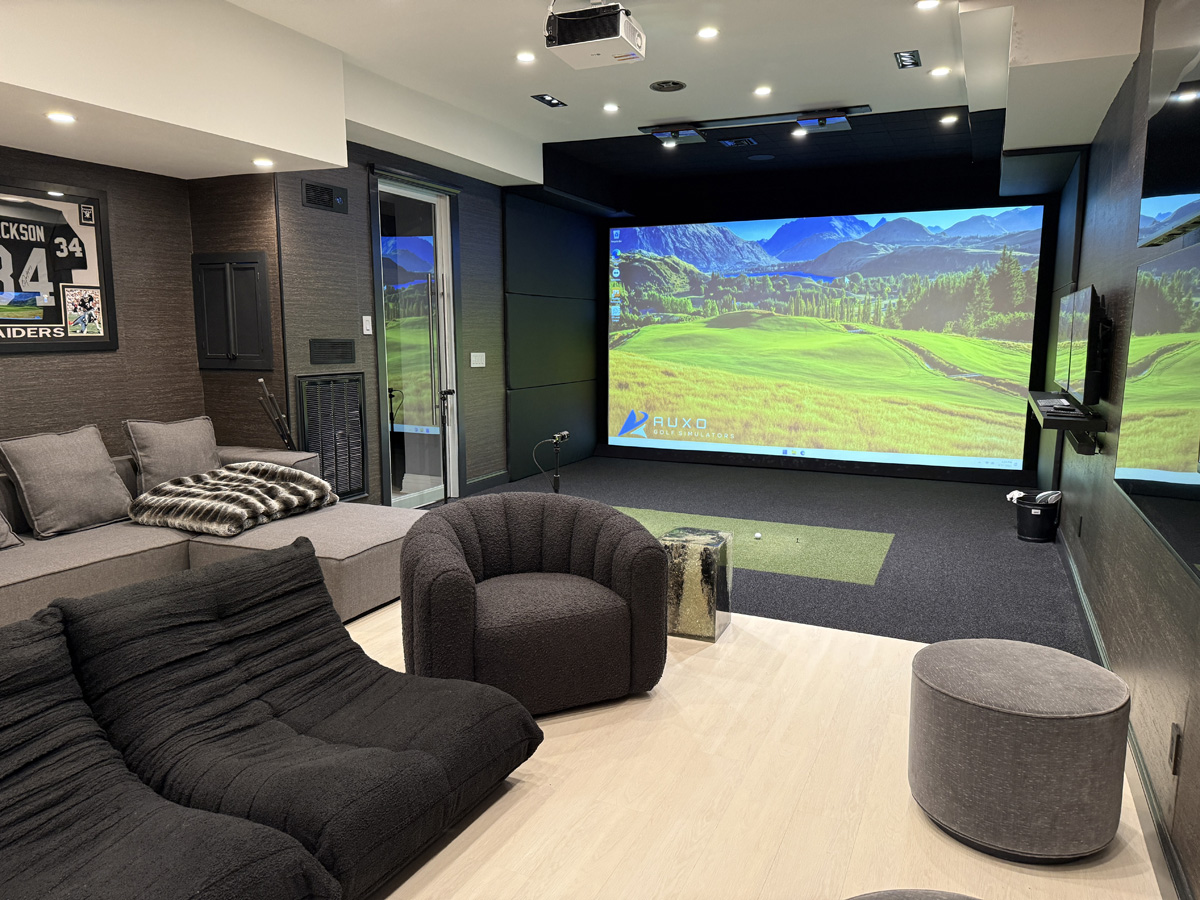
Design details that keep golf simulator accuracy dialed in
Once the main structure and hardware are correct, you still have a few design choices that can support or undermine golf simulator accuracy. These decisions often get labeled as cosmetic, but they have practical effects on how well the sensors see the ball and how consistently you swing. The goal is a space that feels great to stand in, protects your walls and ceiling, and gives the technology a clear, predictable view of every shot.
- Lighting that avoids glare and shadows: Hot spots on the screen, bright fixtures right in your eyes, or heavy shadows near the ball can all confuse cameras and distract your swing. Well planned lighting keeps everything bright and even without washing out the image.
- Surfaces that control bounce and reflection: Hard floors, glossy walls, or exposed beams can cause strange reflections and sound. Softer wall treatments, turf, and padding help create a focused hitting environment.
- A layout that feels comfortable for real practice: Room for a small seating area, a spot for clubs, and space to move behind the hitting mat makes the room feel like a studio, not a cramped box. When you feel relaxed, your swing is more natural and the data becomes more trustworthy.
Why a pro build leads to more reliable numbers
A build team that lives in this world every day knows where projects go wrong. They already understand the quirks of basements, garages, and flex rooms, and they design around them before problems show up in your numbers. They also know how to pair your goals with the right hardware and layout. If your priority is serious practice, they can reference past golf simulator projects that were built around data and repeatability instead of only chasing a flashy look. That kind of experience is hard to guess your way into on your first build.
When a golf simulator renovation is the best fix
Sometimes the most honest answer is that the current build is holding you back. Maybe the original installer treated it like a simple theater project and did not fully understand the demands of golf technology. Maybe a do it yourself attempt ran into limitations that only showed up once you started playing. When the numbers are never quite right and you are tired of workarounds, a targeted renovation can reset the room around accurate data rather than forcing the tech to deal with a flawed layout.
A renovation can adjust ceiling treatments, move the hitting position, redesign the enclosure, or rework the lighting so that every shot happens in the ideal tracking window. In a lot of cases the shell of the room is fine, but the inner setup needs a smarter plan. That is exactly what a dedicated golf simulator renovation service is built for. It takes what you already have, studies what the numbers are doing, and designs a path to better performance without starting from scratch.
How to know it is time to bring in help
If you have already checked your swing, updated software, and reset your launch monitor but the system still feels off, the room itself is the next place to look. Repeated misreads with certain clubs, shots that never seem to match what you feel at impact, and constant second guessing of the numbers are all signs that something in the build is working against you. At that point it is worth talking with a team that can walk through your space, look at your current data, and map out a smarter design.
Simple next steps to protect your golf simulator accuracy
Golf simulators are one of the best investments you can make in your game, but only if the data is something you can trust. The right measurements, room dimensions, and hardware placement will give you a setup that feels like a true practice studio instead of a guessing machine. If you are still in the planning stage, start by studying accurate room sizing with resources like the ultimate size and room dimension guides, then line that up with a custom build that fits your home. If your system is already installed and does not feel quite right, it might be time for a fresh set of eyes on the space so you can get the performance you paid for.
Ready to fix your setup
If you want a golf simulator that looks incredible and gives you numbers you can trust, our team would be happy to help.
Some of our work